
Blog Details
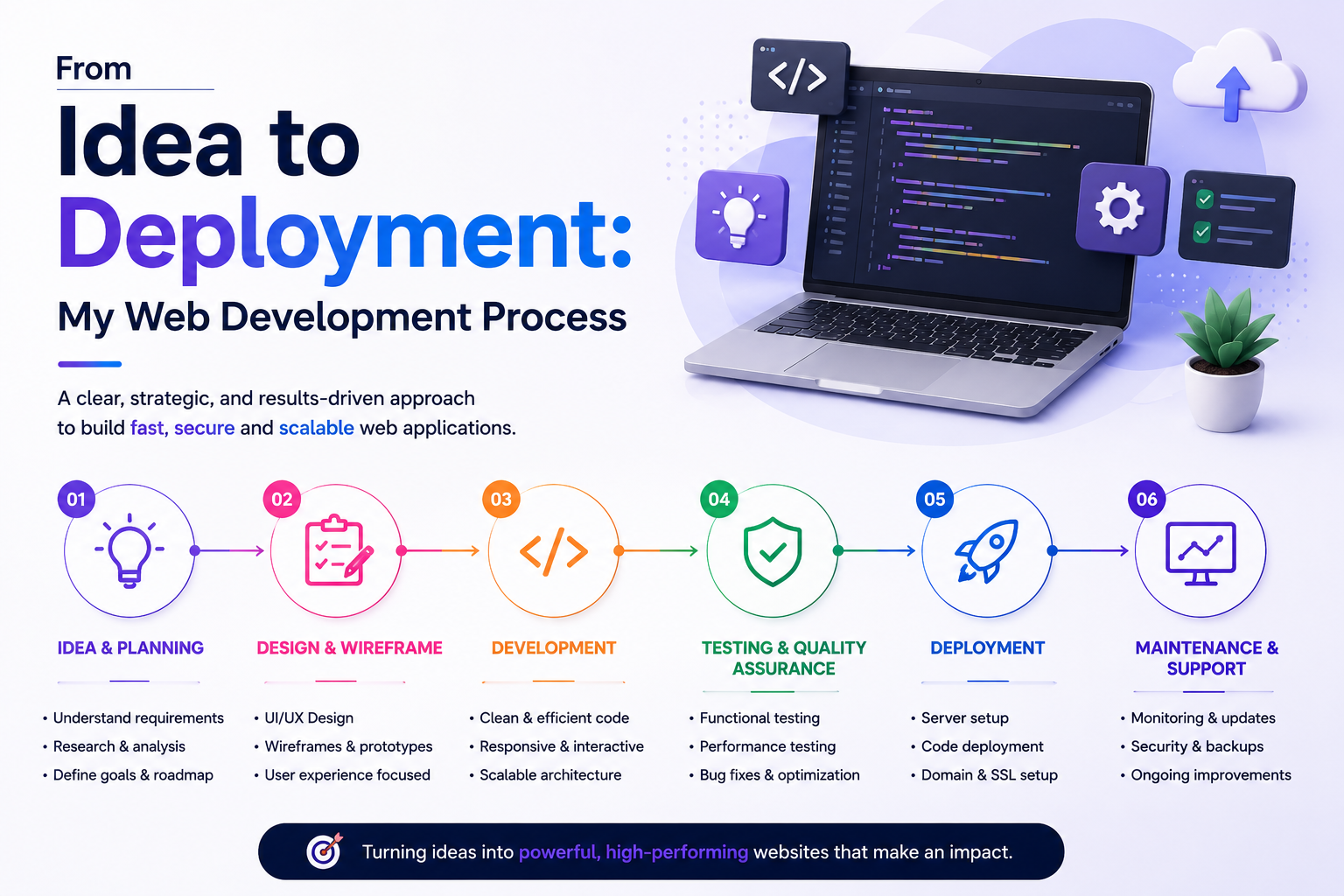
From Idea to Deployment: My Web Development Process
Author: Mubarak Ali Ansari
Every successful web application begins with an idea, but turning that idea into a reliable, secure, and user-friendly product requires a structured development process. Over the years, I've developed a workflow that helps me deliver projects efficiently while maintaining code quality and performance.
In this article, I'll walk through the process I follow—from understanding a client's vision to deploying the final application.
1. Understanding the Project Requirements
Every project starts with a conversation.
Before writing any code, I focus on understanding:
- The purpose of the application
- Target audience
- Business goals
- Required features
- User roles and permissions
- Timeline and budget
Asking the right questions early helps reduce misunderstandings and ensures the final product meets expectations.
2. Planning the Project
Once the requirements are clear, I create a roadmap for development.
This planning stage typically includes:
- Defining application modules
- Creating a feature list
- Identifying third-party integrations
- Estimating development time
- Prioritizing core functionality
Good planning keeps the project organized and minimizes unexpected changes during development.
3. Designing the Database
The database is the foundation of most web applications.
Before building features, I design the database structure by:
- Creating tables
- Defining relationships
- Selecting appropriate data types
- Adding indexes where needed
- Planning for scalability
A well-designed database makes future development much easier.
4. Setting Up the Development Environment
I prepare a clean development environment using tools that improve productivity and maintain consistency.
My typical setup includes:
- PHP
- Laravel
- Composer
- MySQL
- Git
- Visual Studio Code
- Node.js and Vite for frontend assets
This environment allows me to develop, test, and manage projects efficiently.
5. Building the Backend
With the foundation in place, I begin implementing the application's core functionality.
Depending on the project, this may include:
- Authentication and authorization
- CRUD operations
- REST APIs
- File uploads
- Payment gateway integration
- Email notifications
- Admin dashboard
I follow Laravel best practices to keep the code clean, modular, and maintainable.
6. Creating the User Interface
A great application isn't just functional—it should also provide a smooth user experience.
While building the frontend, I focus on:
- Responsive layouts
- Fast loading pages
- Clear navigation
- Accessibility
- Consistent design
I commonly work with Bootstrap, Tailwind CSS, JavaScript, and Blade templates to create modern interfaces.
7. Testing the Application
Before deployment, I thoroughly test the application to identify and resolve issues.
My testing process includes:
- Form validation
- Authentication and authorization
- Database operations
- Mobile responsiveness
- Browser compatibility
- Performance checks
- Error handling
Testing helps ensure the application behaves as expected in real-world scenarios.
8. Optimizing Performance
Performance is essential for user satisfaction and search engine rankings.
Before deployment, I optimize the application by:
- Reducing unnecessary database queries
- Adding indexes where appropriate
- Optimizing images
- Minifying CSS and JavaScript
- Enabling caching
- Removing unused assets
These improvements contribute to a faster and more efficient application.
9. Securing the Application
Security is integrated throughout the development process rather than treated as a final step.
Some of the security practices I follow include:
- Input validation
- CSRF protection
- Password hashing
- SQL injection prevention
- XSS protection
- Secure authentication
- Environment variable management
- Role-based access control
These measures help protect both user data and the application itself.
10. Deployment
Once development and testing are complete, it's time to launch the application.
My deployment checklist includes:
- Configuring the production server
- Uploading project files
- Setting environment variables
- Running database migrations
- Installing Composer dependencies
- Optimizing Laravel caches
- Verifying SSL certificates
- Performing final functionality checks
A careful deployment process reduces downtime and ensures a smooth launch.
11. Maintenance and Continuous Improvement
Deployment is not the end of the project.
After launch, I continue to:
- Monitor application performance
- Fix reported bugs
- Apply security updates
- Improve existing features
- Add new functionality based on user feedback
Regular maintenance helps keep the application secure, reliable, and aligned with evolving business needs.
Tools I Frequently Use
My development workflow commonly includes:
- PHP
- Laravel
- MySQL
- HTML5
- CSS3
- Bootstrap
- Tailwind CSS
- JavaScript
- jQuery
- Git & GitHub
- Composer
- Vite
- Visual Studio Code
- Postman
These tools help me build scalable, maintainable, and modern web applications.
Final Thoughts
Building a web application is much more than writing code. It involves careful planning, thoughtful database design, clean development practices, rigorous testing, strong security measures, and a reliable deployment process.
By following a structured workflow, I can transform an idea into a fully functional web application that is secure, scalable, and easy to maintain. Whether I'm developing a business website, an admin panel, an e-commerce platform, or a custom web solution, this process helps me deliver quality results while keeping the project organized from start to finish.